



Overview
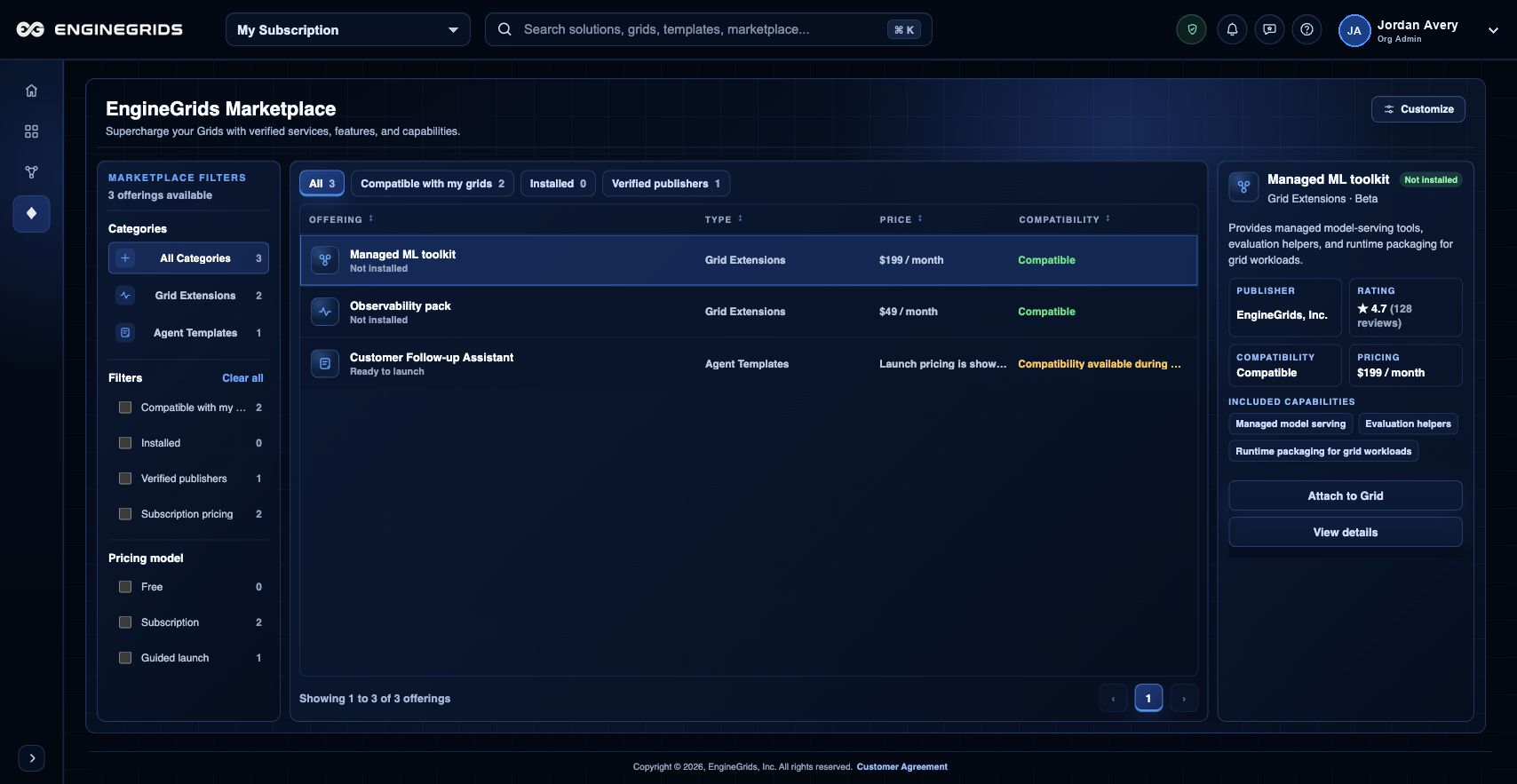
The EngineGrids Marketplace is the customer-facing place to discover, compare, attach, and review add-ons. Use it when a deployed grid or modeled solution needs a verified service, feature, or capability from EngineGrids or another publisher.
What you can do
- Browse verified Marketplace offerings from the main Marketplace canvas.
- Review compatibility, publisher, rating, pricing, and setup requirements before attaching an add-on.
- Confirm the target grid or modeled solution before the add-on changes billing or runtime behavior.
Recommended workflow
- Open Marketplace from the left navigation.
- Select the offering that matches the capability you need.
- Select the target grid and review the cost and compatibility summary.
- Confirm attachment when the summary matches the intended grid.
- Return to Marketplace, the dashboard, or the grid workspace and confirm the add-on status.
Limits and expectations
- Add-ons may require entitlement reconciliation before they become usable.
- Removing or changing add-ons can affect active grid behavior and billing.
- Only attach add-ons to grids where the publisher, capability, and pricing are understood.
FAQ
Why does an add-on show as attached but not ready?
Attachment records the customer intent. Readiness can still depend on entitlement reconciliation, compatibility checks, publisher setup, or grid runtime state.
What if I cannot complete this workflow?
Confirm the active organization, subscription, and role. If the page still does not explain the blocked state, open Support Center with the route, affected resource, expected outcome, and a screenshot that does not include secrets.