



Overview
Subscriptions provide the billing context for EngineGrids usage. Start from the dashboard to confirm organization context, then use Billing when you need to review active subscriptions, plan status, invoices, payment methods, or marketplace payout setup.
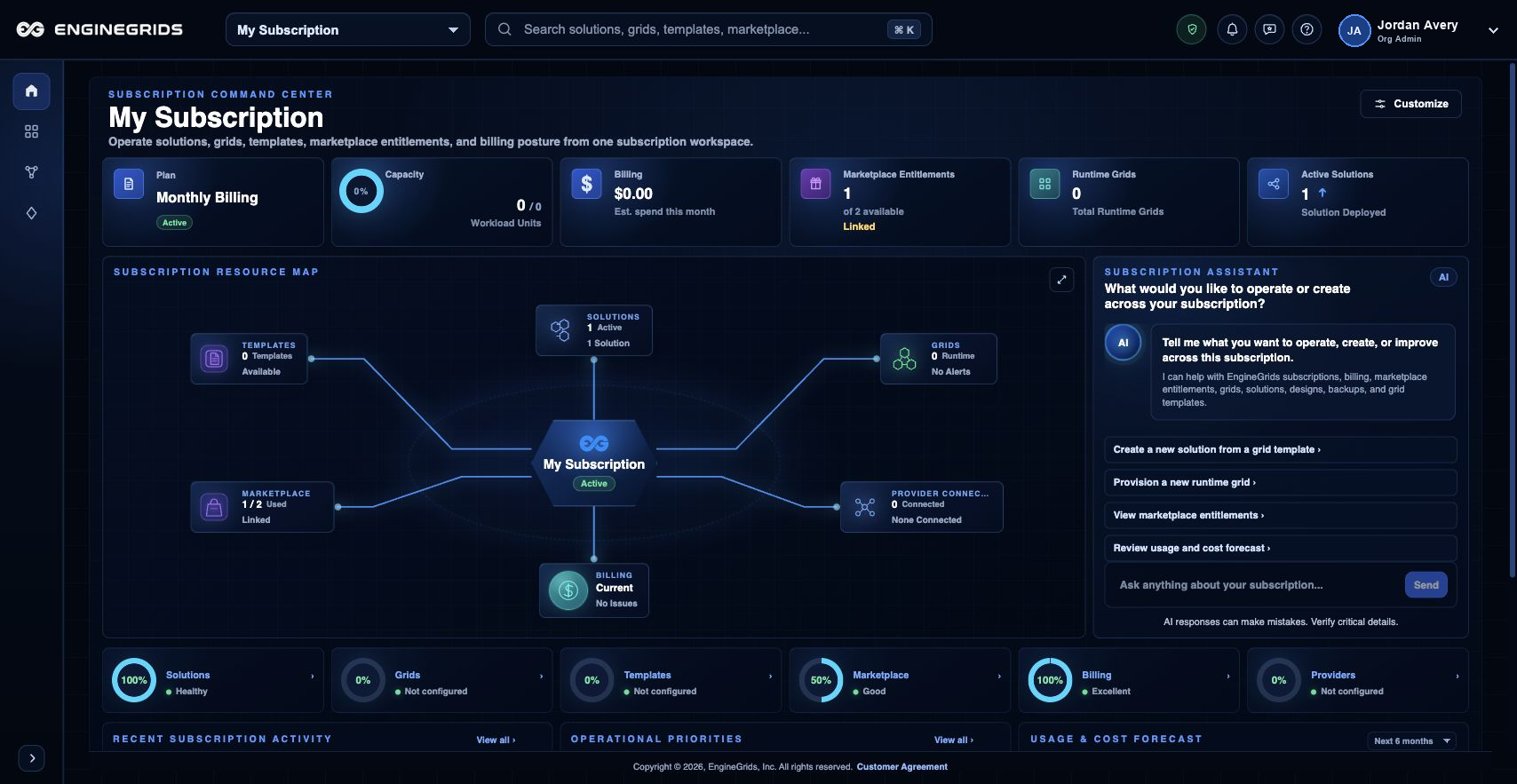
What you can do
- Use the dashboard to confirm you are working in the correct organization before reviewing subscription details.
- Use Billing to review subscription status, invoice state, payment methods, and marketplace payout readiness.
- Return to Grid Designer or the grid wizard after billing context is ready for the work you want to launch.
Recommended workflow
- Open the dashboard and confirm the active organization shown in the portal shell.
- Open Billing when you need to review subscription status, payment methods, invoices, or bank connections.
- Open the Subscriptions tab in Billing to review the organization''s current plan and pending changes.
- Return to Grid Designer, Marketplace, or the grid wizard once the needed billing context is available.
Limits and expectations
- Billing and subscription changes require the appropriate billing or organization role.
- A subscription provides billing context; it does not deploy grid runtime capacity by itself.
- Pricing, plan state, invoices, and payout readiness shown in Billing are the customer-facing source of truth.
FAQ
Where do I review subscription context?
Use the dashboard to confirm the active organization and Billing to review subscription, payment, invoice, and payout details.
What if I cannot complete this workflow?
Confirm the active organization, subscription, and role. If the page still does not explain the blocked state, open Support Center with the route, affected resource, expected outcome, and a screenshot that does not include secrets.