



ओवरव्यू
Subscriptions EngineGrids usage के लिए billing context देते हैं। Organization context confirm करने के लिए dashboard से शुरू करें, फिर active subscriptions, plan status, invoices, payment methods या Marketplace payout setup review करने के लिए Billing use करें।
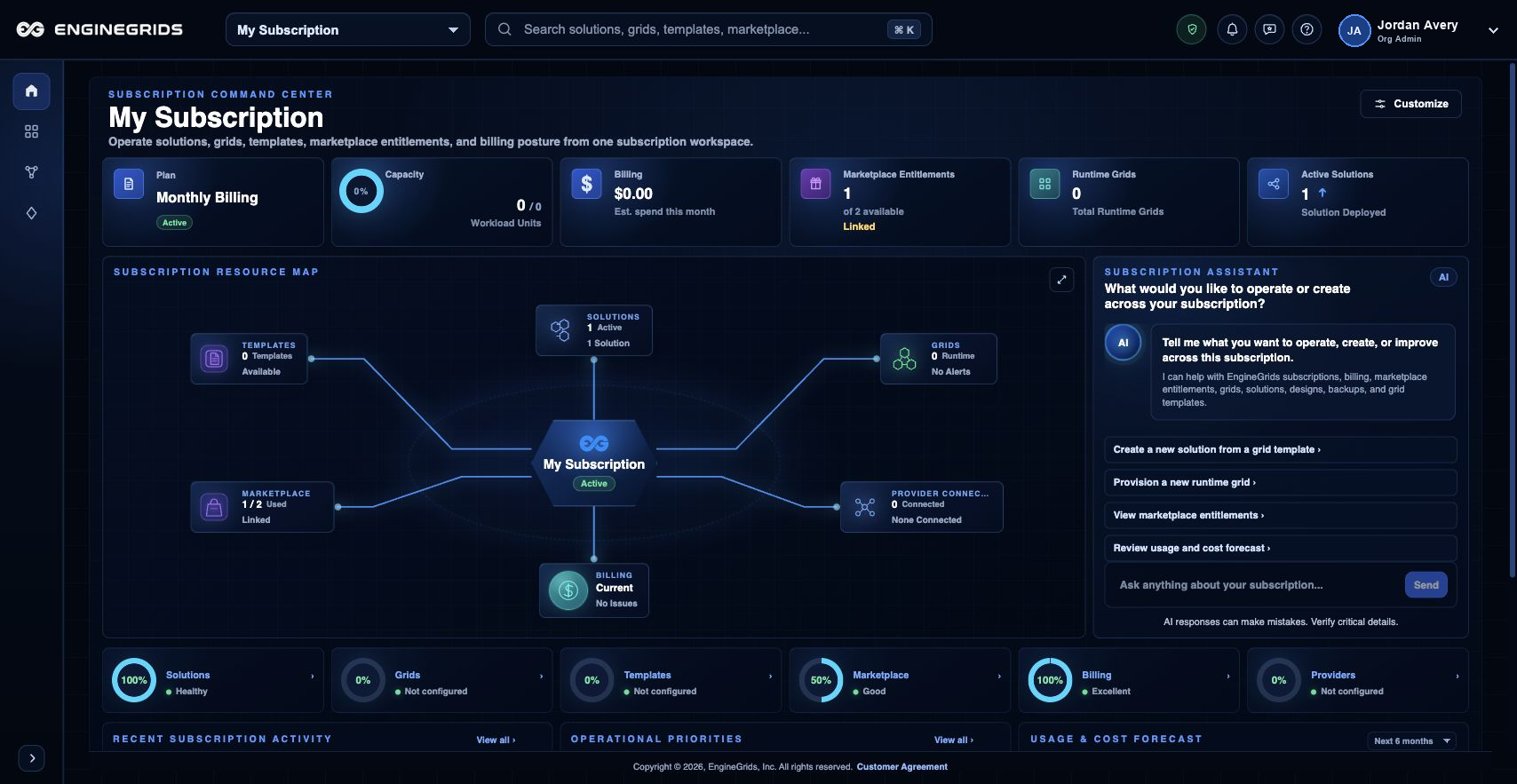
आप क्या कर सकते हैं
- Subscription details review करने से पहले dashboard से confirm करें कि आप सही organization में काम कर रहे हैं.
- Billing से subscription status, invoice state, payment methods और Marketplace payout readiness review करें.
- Launch करने वाले work के लिए billing context ready होने के बाद Grid Designer या grid wizard पर लौटें.
सुझाया गया workflow
- Dashboard खोलें और portal shell में दिख रही active organization confirm करें.
- Subscription status, payment methods, invoices या bank connections review करने हों तो Billing खोलें.
- Organization का current plan और pending changes review करने के लिए Billing में Subscriptions tab खोलें.
- Needed billing context available होने पर Grid Designer, Marketplace या grid wizard पर लौटें.
सीमाएँ और अपेक्षाएँ
- Billing और subscription changes के लिए appropriate billing या organization role चाहिए.
- Subscription billing context देता है; वह अपने आप grid runtime capacity deploy नहीं करता.
- Billing में दिखने वाले pricing, plan state, invoices और payout readiness customer-facing source of truth हैं.
FAQ
Subscription context कहाँ review करूँ?
Active organization confirm करने के लिए dashboard use करें और subscription, payment, invoice और payout details review करने के लिए Billing use करें.
अगर मैं यह workflow पूरा नहीं कर पा रहा हूँ तो क्या करूँ?
Active organization, subscription और role confirm करें। अगर page blocked state अभी भी explain नहीं करता, तो route, affected resource, expected outcome और secrets न दिखाने वाले screenshot के साथ Support Center खोलें।