



ओवरव्यू
Grid workspace customer grids के लिए operational inventory है। Deployed grids खोजने, उनकी visible state inspect करने और runtime controls, Designer context या support के लिए next view खोलने में इसका उपयोग करें।
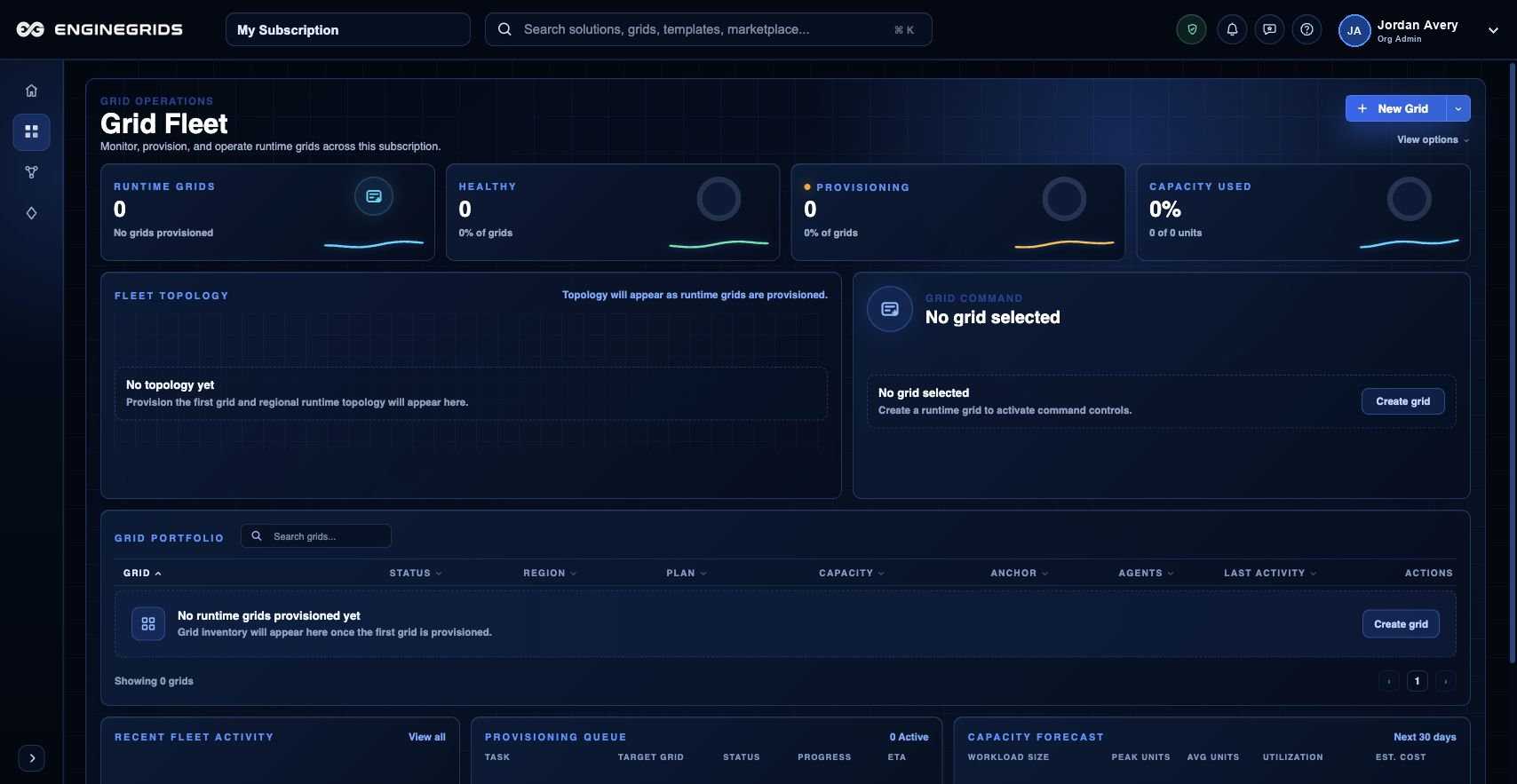
आप क्या कर सकते हैं
- Grid names, status और ownership context को एक place में review करें.
- Runtime settings बदलने से पहले उस grid को खोलें जिस पर attention चाहिए.
- Operate, investigate या help मांगनी है यह decide करने के लिए grid state और recent activity use करें.
सुझाया गया workflow
- Left navigation से Grids खोलें.
- Active organization और subscription context confirm करें.
- Customer workload से match करने वाली grid select करें.
- Grid detail path से runtime controls, Designer context या support खोलें.
सीमाएँ और अपेक्षाएँ
- अगर आप wrong organization में हैं या access नहीं है तो grid appear नहीं हो सकती.
- Status values latest customer-visible state reflect करते हैं और long-running backend reconciliation से पीछे हो सकते हैं.
- Workspace refresh करने के बाद grid missing या stuck दिखे तो Support Center use करें.
FAQ
मुझे expected grid क्यों नहीं दिख रही?
Active organization, subscription और role check करें। Context सही है और grid फिर भी missing है तो grid name और expected deployment time के साथ support ticket खोलें.
अगर मैं यह workflow पूरा नहीं कर पा रहा हूँ तो क्या करूँ?
Active organization, subscription और role confirm करें। अगर page blocked state अभी भी explain नहीं करता, तो route, affected resource, expected outcome और secrets न दिखाने वाले screenshot के साथ Support Center खोलें।