



ओवरव्यू
Grid Designer EngineGrids solutions model करने के लिए customer-facing workspace है। यह modeled solution deploy करने से पहले grid topology, workflow steps, swarm handoffs, runtime intent और launch artifacts assemble करने देता है।
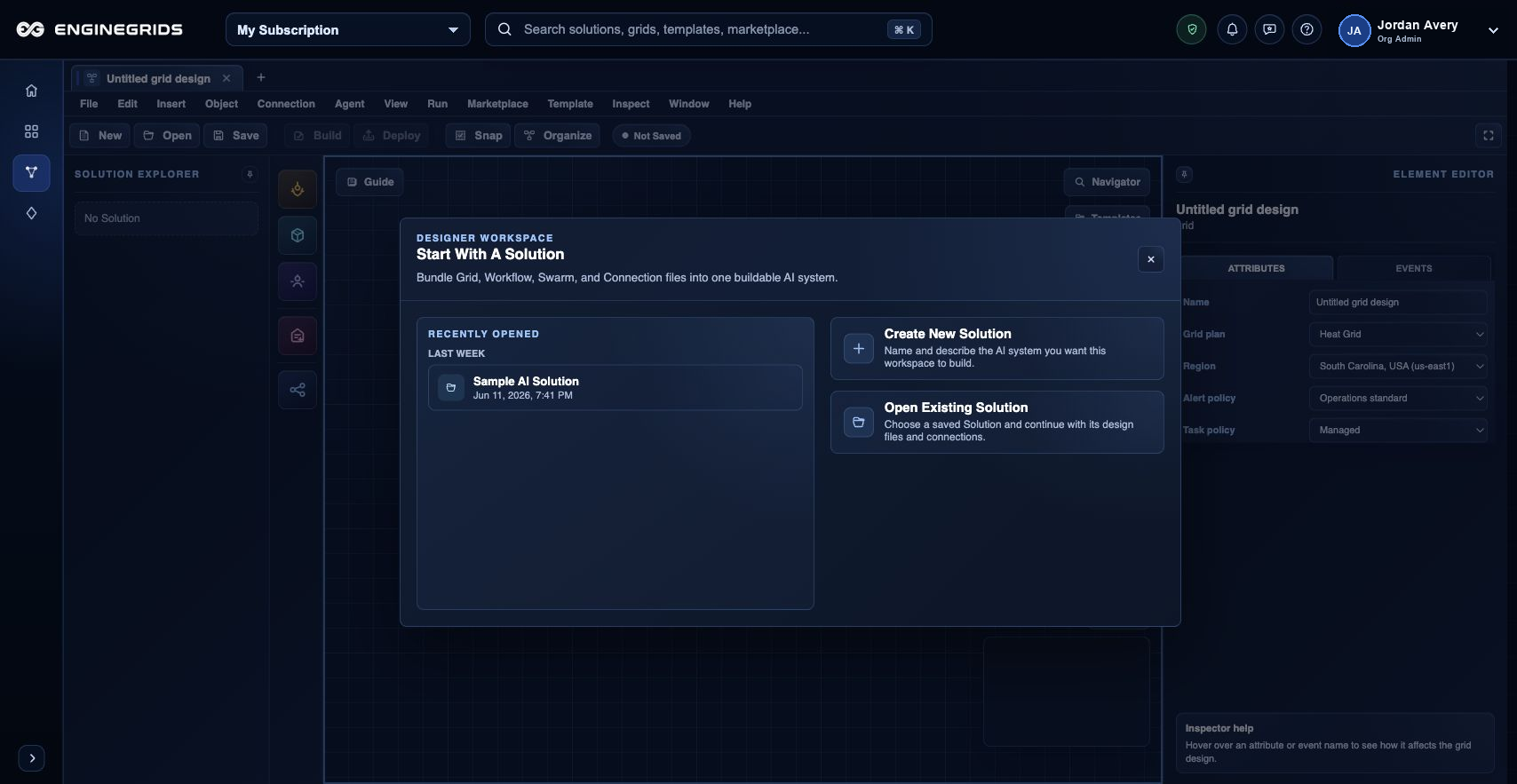
आप क्या कर सकते हैं
- जिस solution को model करना है उसके लिए design document create या open करें.
- Canvas पर grid, workflow, agent, service और swarm elements रखें.
- Deployment या Marketplace publication request से पहले design validate करें.
सुझाया गया workflow
- Grids area से Grid Designer खोलें.
- Toolbox से elements add करें और intended flow describe करने के लिए connect करें.
- Editor panel से each selected element configure करें.
- Validation run करें और deployment या publication से पहले warnings resolve करें.
सीमाएँ और अपेक्षाएँ
- Invalid topology, missing configuration या incompatible runtime choices deployment block कर सकते हैं.
- Designer documents organization और customer permissions से scoped होते हैं.
- Secrets और private source credentials supported runtime और source controls से provide करें, free-form notes में paste न करें.
FAQ
Grid Designer और New Grid Wizard में क्या फर्क है?
Wizard guided sequence से basic grid create करता है। Grid Designer larger solution model करता है: grids, workflows, swarms, runtime relationships, deployment readiness और Marketplace publication intent.
अगर मैं यह workflow पूरा नहीं कर पा रहा हूँ तो क्या करूँ?
Active organization, subscription और role confirm करें। अगर page blocked state अभी भी explain नहीं करता, तो route, affected resource, expected outcome और secrets न दिखाने वाले screenshot के साथ Support Center खोलें।