



Overview
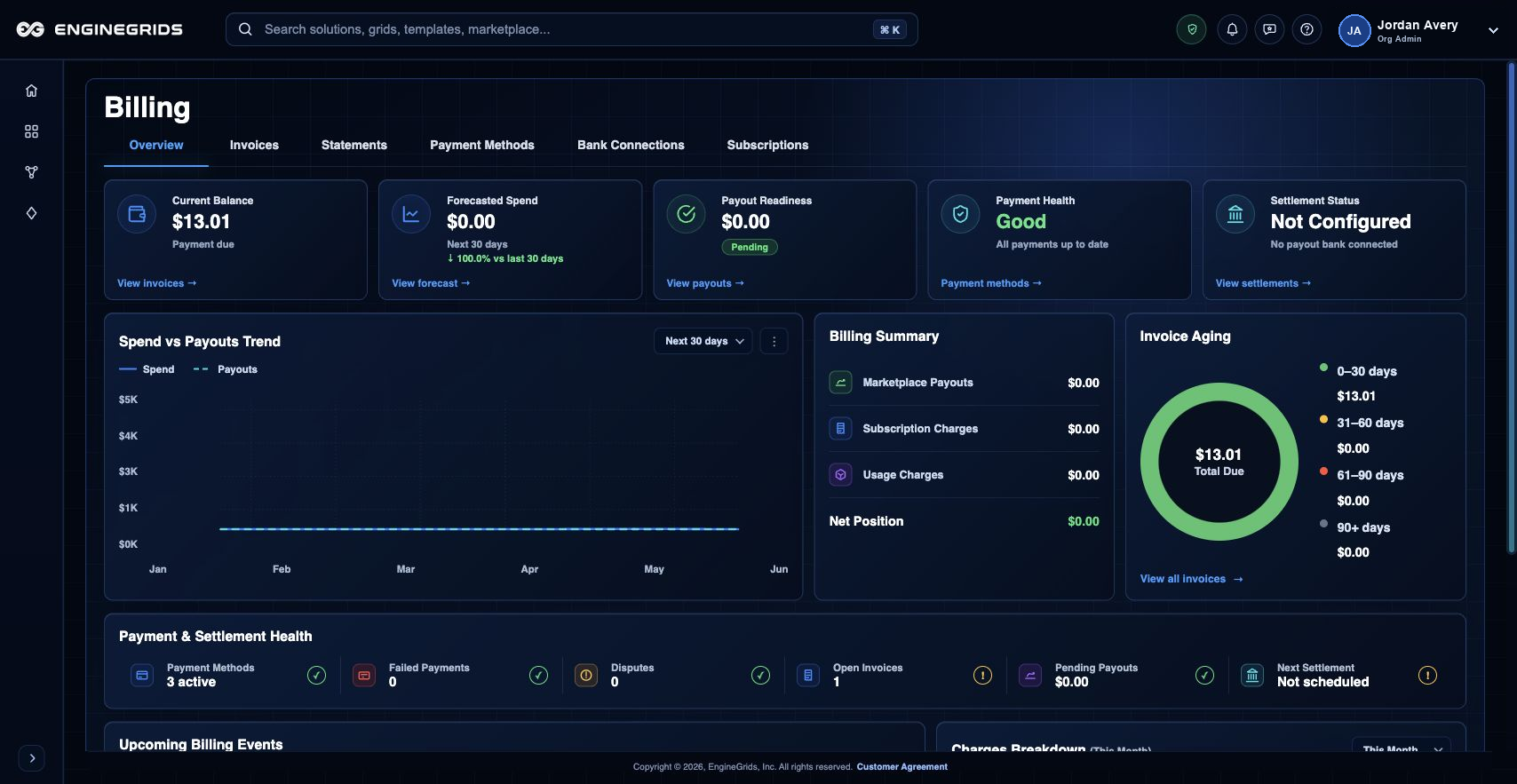
Usage and cost information now lives in Billing. Use the Billing overview and forecasted spend sections when planning capacity, subscription changes, or Marketplace add-on usage.
What you can do
- Review forecasted spend before scaling or deploying additional runtime capacity.
- Compare cost signals with the organization''s active subscriptions and Marketplace add-ons.
- Use Billing actions or Support Center when forecast values look unexpected.
Recommended workflow
- Open Billing from the left navigation or identity badge menu.
- Confirm the organization and subscription context.
- Review Overview for forecasted spend, current balance, invoices, and recent billing activity.
- Open Subscriptions when you need to compare the forecast with the active plan.
- Use the information to decide whether to scale, change plan, or open support.
Limits and expectations
- Forecasts are estimates and can change as runtime usage, marketplace add-ons, and billing data settle.
- Usage views are informational; they do not change capacity or subscription state by themselves.
- Invoice totals remain the final billing record when available.
FAQ
Can I treat the forecast as my final bill?
No. Use forecasts for planning. Final invoice and billing records are the authoritative billing outputs.
What if I cannot complete this workflow?
Confirm the active organization, subscription, and role. If the page still does not explain the blocked state, open Support Center with the route, affected resource, expected outcome, and a screenshot that does not include secrets.