



סקירה
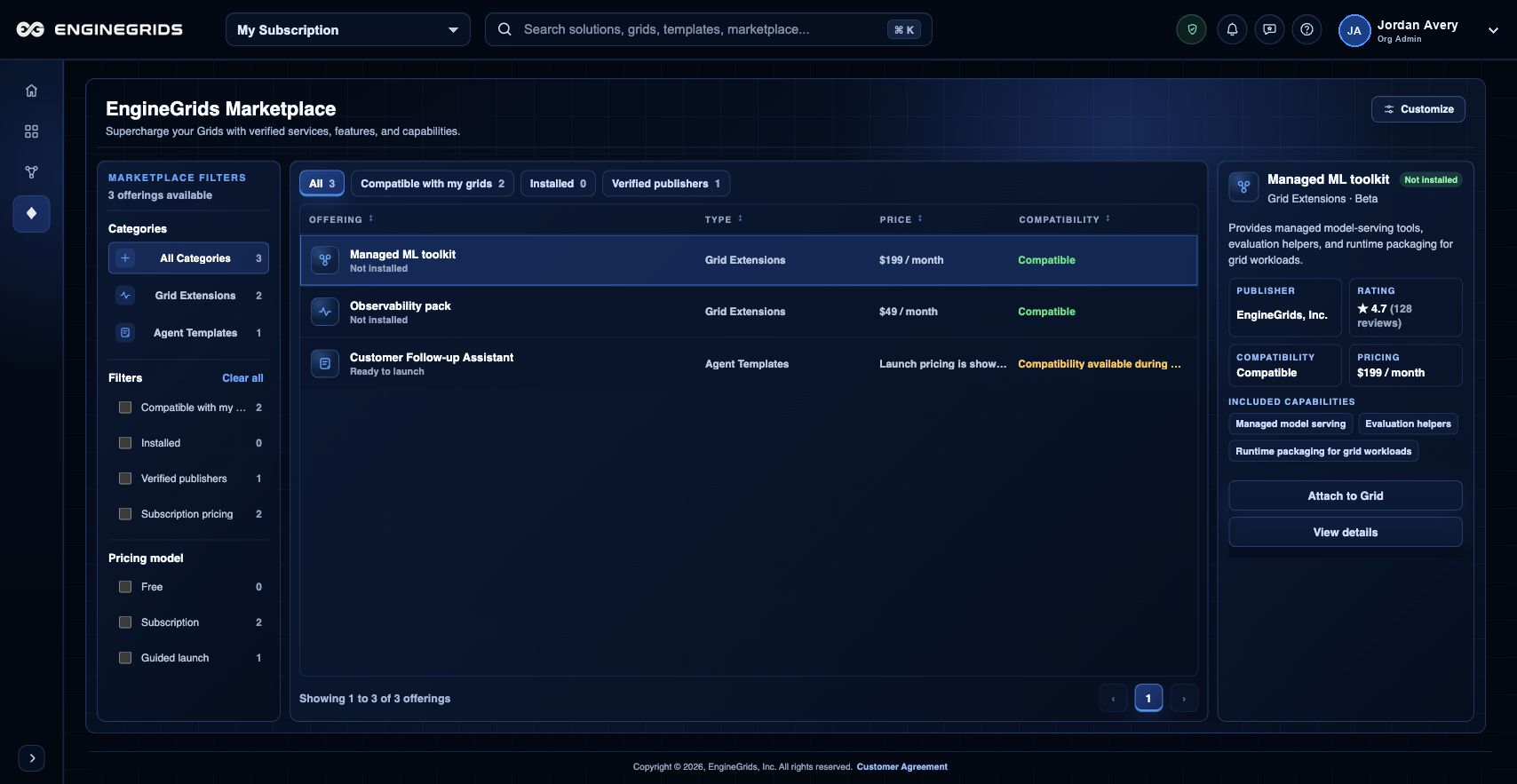
Marketplace publication מתחילה בתוך Grid Designer ונעשית גלויה ללקוחות ב-EngineGrids Marketplace. כאשר modeled solution מוכן לשימוש חוזר על ידי לקוחות אחרים, השתמשו ב-publication flow של Designer כדי להכין listing details, לבצע validation למודל ולבקש EngineGrids review לפני שה-solution המאושר מופיע ב-Marketplace.
מה אפשר לעשות
- להכין ולהגיש modeled solutions מ-Grid Designer, לא מ-standalone agent draft.
- להשתמש בקנבס EngineGrids Marketplace כדי לבדוק איך offerings מאושרים מופיעים ללקוחות.
- להכין customer-facing listing details, setup expectations, pricing או offer terms ו-support responsibilities לפני שליחה.
- להשתמש ב-Billing Bank Connections כאשר הארגון צריך לקבל payouts עבור Marketplace offers מאושרים.
תהליך עבודה מומלץ
- פתחו את ה-solution ב-Grid Designer.
- ודאו שהמודל כולל את ה-grid, workflow, swarm, runtime ו-source context הנדרשים.
- הריצו validation ופתרו required deployment או marketplace readiness issues.
- פתחו את Marketplace publication action מתפריט Designer.
- הזינו listing name, summary, customer instructions, setup requirements, pricing או offer terms ו-support contact details.
- שלחו את publication request ל-EngineGrids review ועקבו אחרי approval, requested changes או rejection.
- אחרי approval, פתחו את Marketplace כדי לבדוק את customer-visible listing state.
מגבלות וציפיות
- publication requests נבדקים לפני ש-solution מופיע ב-Marketplace.
- secrets, private source tokens ו-customer-specific runtime data אינם marketplace content.
- modeled solutions מסוימים עשויים לדרוש packaging changes לפני listing.
- Marketplace payouts דורשים יעד Bank Connections מוגדר ב-Billing.
שאלות נפוצות
האם זה אותו דבר כמו פרסום agent?
לא. ה-customer flow הנוכחי מתמקד בפרסום modeled solutions מ-Grid Designer. פרסום agent-only יחיד כבר אינו ה-customer path המרכזי.
מה אם אי אפשר להשלים את התהליך?
ודאו שהארגון, ה-subscription והתפקיד הפעילים נכונים. אם הדף עדיין לא מסביר את המצב החסום, פתחו את Support Center עם הנתיב, המשאב המושפע, התוצאה הצפויה וצילום מסך שאינו כולל סודות.