



Overview
Organisation access is managed from the identity badge menu. It determines which customer workspaces, grids, subscriptions, Marketplace state, and support records a user can see. Use the Organisation modal to review memberships, requests, invitations, and the active organisation context.
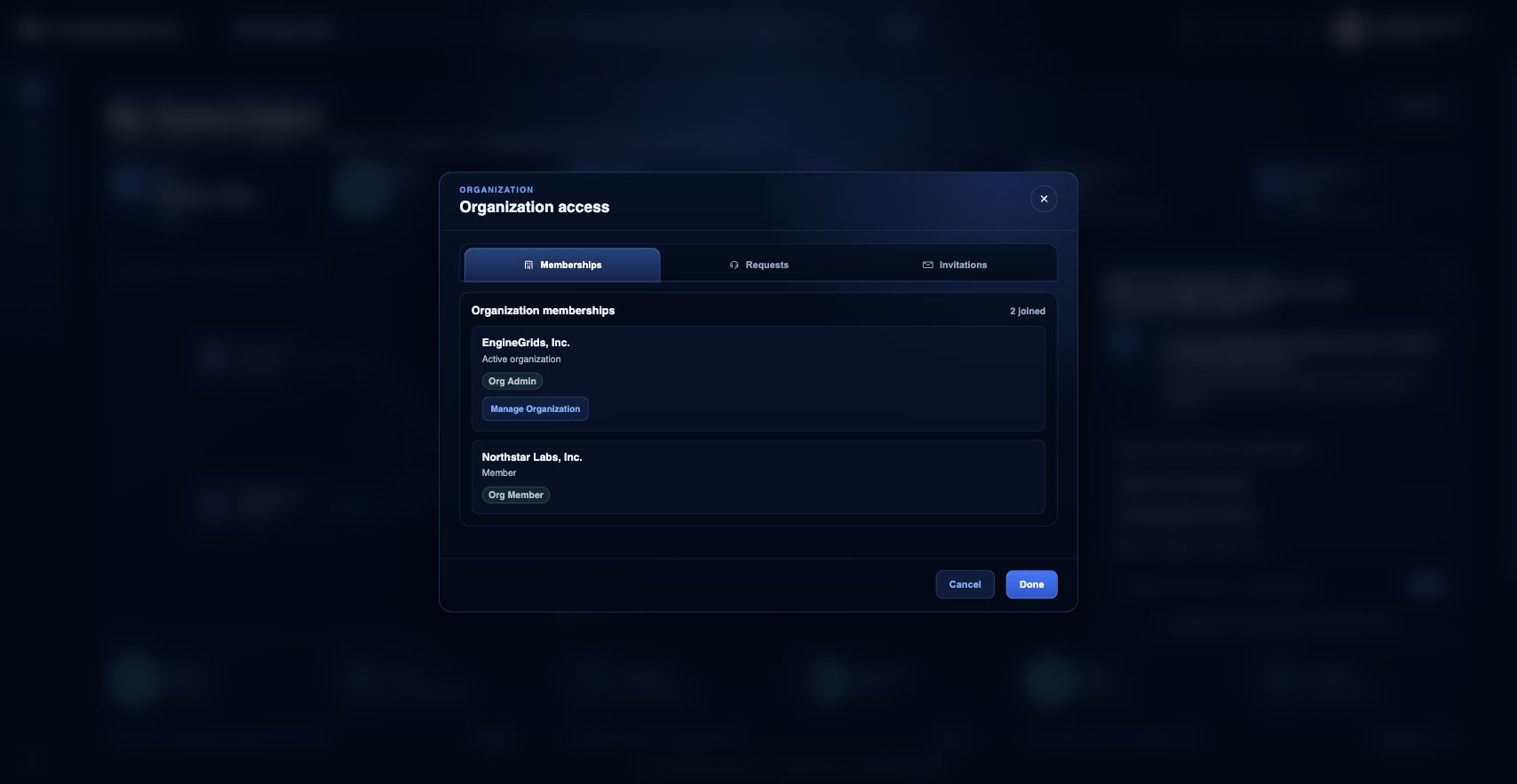
What you can do
- Review current organisation memberships and the active organisation.
- Request access to another organisation by name or domain when appropriate.
- Review invitations when an administrator invites you into a workspace.
Recommended workflow
- Open the identity badge menu in the top bar.
- Choose Organisation.
- Review the active organisation and role label.
- Manage the organisation when you have administrator permissions, or request membership when you need access.
- Accept or decline pending invitations from the invitations section.
Limits and expectations
- Organisation access is role-based; membership does not automatically grant billing, marketplace, or deployment permissions.
- Requests may require administrator approval before access changes.
- Switching organisation context changes the grids, subscriptions, and tickets visible in the portal.
FAQ
Why does changing organisations change what I can see?
Most Customer Portal data is scoped to the active organisation. If you switch organisations, the visible grids, subscriptions, marketplace state, and support tickets can change.
What if I cannot complete this workflow?
Confirm the active organisation, subscription, and role. If the page still does not explain the blocked state, open Support Center with the route, affected resource, expected outcome, and a screenshot that does not include secrets.