



Overview
Use the Customer Portal to move from your dashboard into the work customers do most often: design a solution, deploy it into EngineGrids, operate deployed grids, manage marketplace capabilities, review billing, and get help when something needs attention.
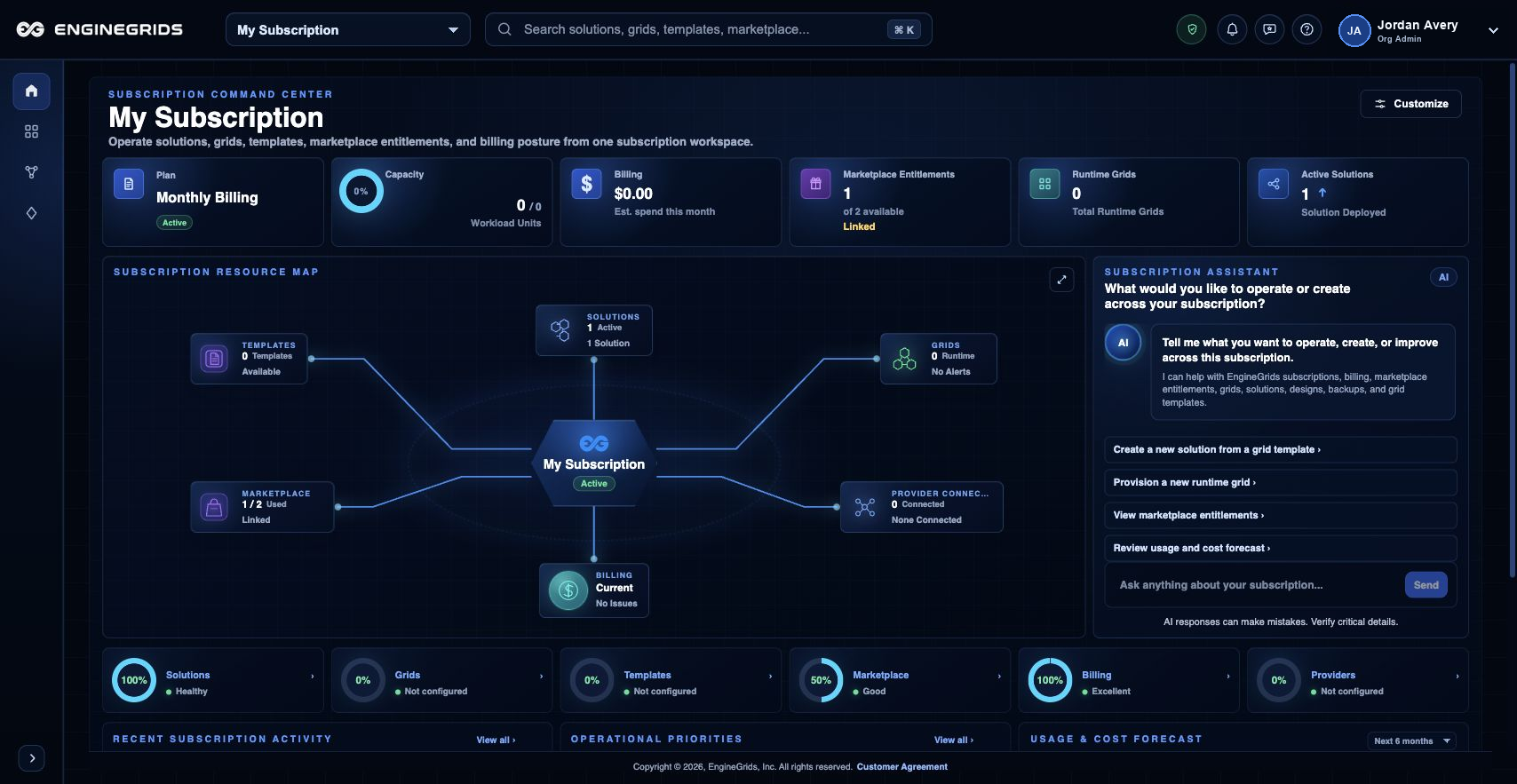
What you can do
- Use the left navigation for Grids, Grid Designer, Marketplace, Billing, and Support.
- Use the identity badge for profile, settings, organisation access, billing, and Help.
- Use Help when you need documentation that explains the customer-facing workflow before opening a support ticket.
Recommended workflow
- Start from the dashboard and confirm that the active organisation is the one you want to work in.
- Open Grid Designer for modelled Grids, Workflows, and Swarms, or use the basic grid wizard for a simple grid.
- Use Marketplace and Billing after the grid or modelled solution context is clear.
- Open Support Center when the visible page state does not explain what to do next.
Limits and expectations
- Navigation and actions reflect your active organisation, subscription, and role permissions.
- The Help canvas is documentation-first; it does not replace support tickets for incidents or account-specific billing questions.
- The subscription selector is intentionally hidden on Help pages so documentation is not scoped to one subscription.
FAQ
Why does Help focus on workflows instead of every page?
Customers usually come to Help with a task in mind. The Help canvas now groups articles around the work to be done instead of mirroring every historical route in the product.
What if I cannot complete this workflow?
Confirm the active organisation, subscription, and role. If the page still does not explain the blocked state, open Support Center with the route, affected resource, expected outcome, and a screenshot that does not include secrets.