



Overview
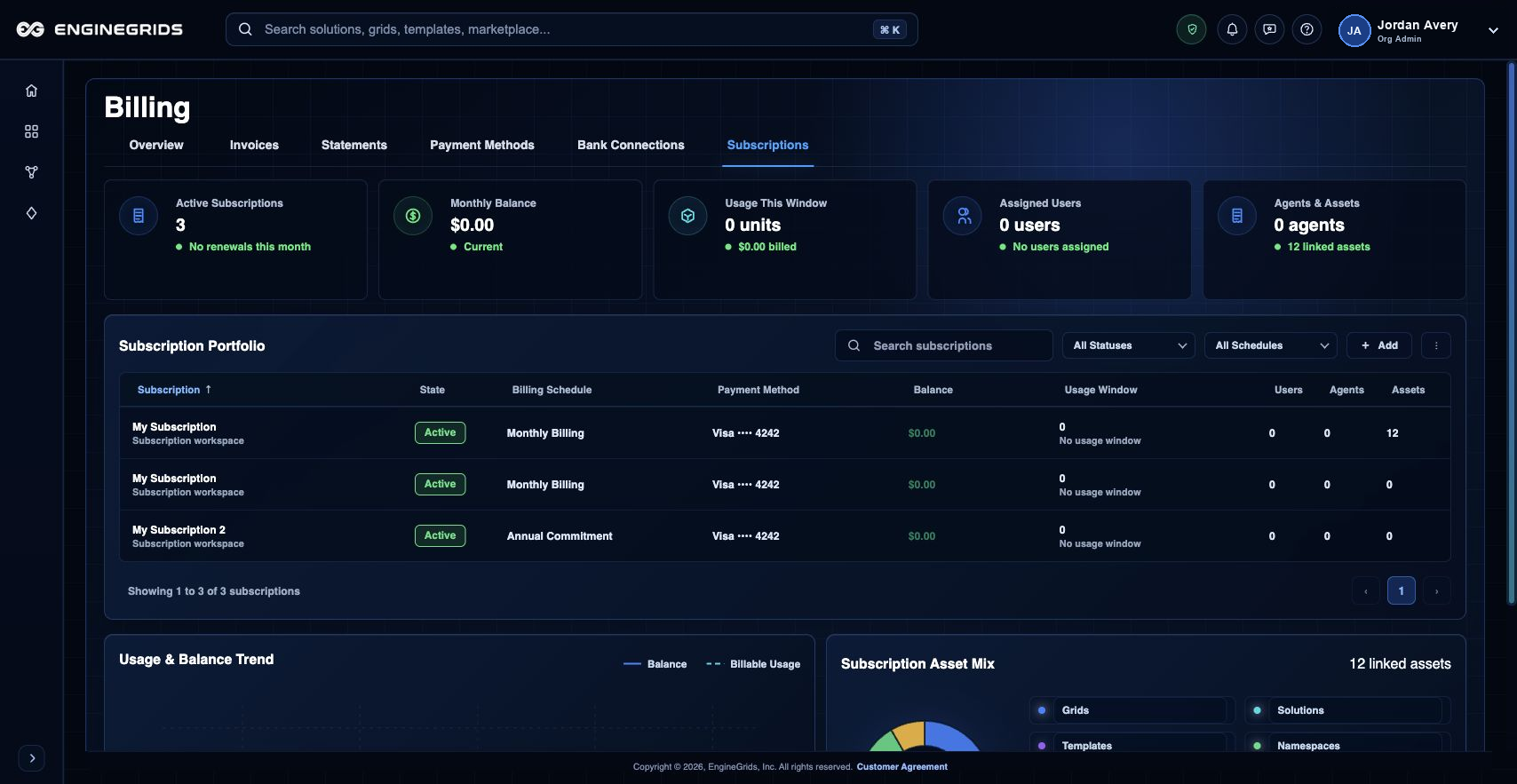
Subscription details and changes live in the Billing section. Use the Subscriptions tab to review active plans, renewal timing, pending changes, and the billing context that can affect runtime availability or Marketplace eligibility.
What you can do
- Review the current subscription portfolio before requesting a plan or capacity change.
- Compare the requested change with expected grid usage and Marketplace add-ons.
- Confirm only after pricing, timing, and eligibility details match the customer intent.
Recommended workflow
- Open Billing from the left navigation or identity badge menu.
- Select the Subscriptions tab.
- Select the subscription you need to modify.
- Review eligibility, pricing, timing, and any pending changes.
- Confirm the change and return to Billing to verify the new state.
Limits and expectations
- Subscription changes require billing permissions and may be blocked by pending invoices or account state.
- Some changes take effect after review, billing confirmation, or the next billing period.
- Changing subscription scope can affect runtime and marketplace eligibility.
FAQ
What should I check before confirming a subscription change?
Confirm the target subscription, effective timing, pricing impact, and whether the change affects active grid runtime or marketplace add-ons.
What if I cannot complete this workflow?
Confirm the active organisation, subscription, and role. If the page still does not explain the blocked state, open Support Center with the route, affected resource, expected outcome, and a screenshot that does not include secrets.